Using e-Link : Working with Student Records : Using the School/Transportation Search Feature : Specifying School/Transportation Search Options

Specifying School/Transportation Search Options
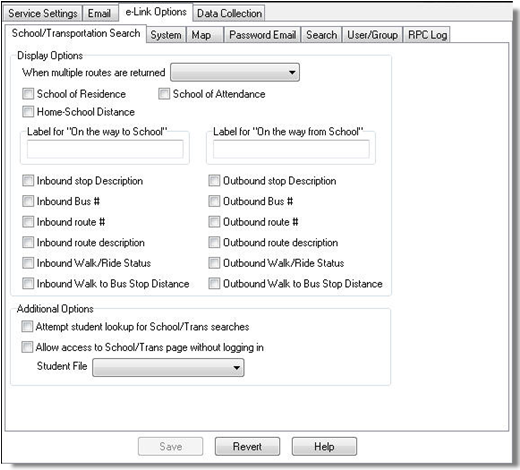
To specify School/Transportation Search Options:
Path:) Start > Programs > Versatrans Suite > Common > Versatrans Integration Service Administrator Utility
1.
Select the e-Link Options tab.
Display Options
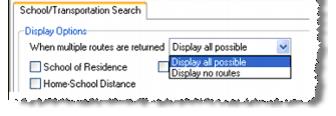
When multiple routes are returned
When entering a grade/address combination that would qualify as a curb-to-curb stop, the School/Transportation Search can return multiple routes in an exact address match when there are multiple bus routes passing the house address. A school district can limit the routes that are displayed by selecting ‘Display all possible routes’ or ‘Display no routes’ when multiple routes are returned. This option defaults to ‘Display all possible’.
Selecting ‘Display no routes’ will cause the system to omit the routes from the results display. All other fields, including bus stop information will be displayed and will not be affected by this display option.