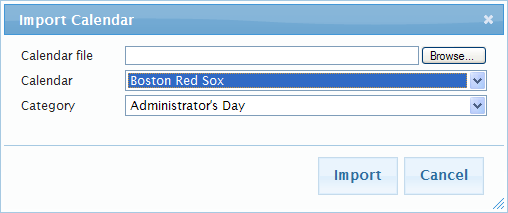
Importing Calendars Calendars can be imported in iCalendar (.ics) format. To import a calendar: Path: Calendar > View Calendar 1. Follow the above path to display the View Calendar screen. 2. Click to display the Import Calendar pop-up dialog. 3. Enter the name and location or browse and select the name and location of the iCalendar file containing the Calendar Events that you want to import. 4. Click the Calendar drop-down button to display a list of available calendars. Select the calendar that will receive the imported Calendar Events. 5. Click the Category drop-down button to display a list of available Categories. Select the Category that the imported events will be classified as. 6. Click Import and the selected Calendar Events will be added to the designated calendar with the Category specified.