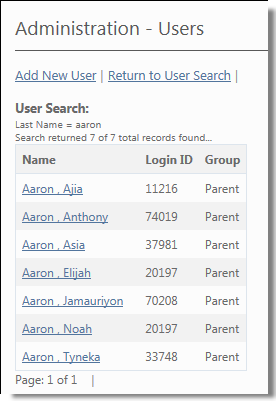
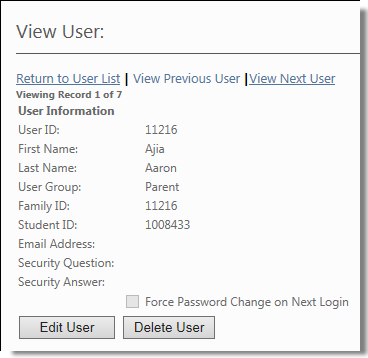
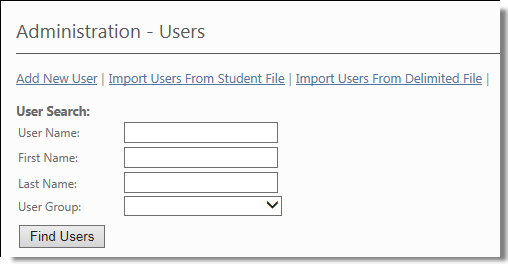
Viewing the User Record You must have administrator permissions to view user records. To view a user’s record: Path: Administration > Users You can restrict the number of user records you have to go through in the Users screen using the User Group drop down list and the Name fields. This allows you to display only a list of users by User Group and by a particular user name. 1. In the Users screen, click the drop down arrow beside the User Group drop down list. The system displays a list of the User Groups you have entered. 2. Select the User Group you want to use in this list and type the user’s first and/or last name in the field provided. 3. Click to display the list with only the user names that meet your criteria. 4. In the Users screen, click the user name of the user whose record you want to review. The system displays the View User screen for that user.
 to display the list with only the user names that meet your criteria.